Best Free Telestration Software for Coaches (2026)
Telestration — drawing arrows, circles, and highlights directly on video — is the tool that turns a clip into a coaching message. You’ve seen it on TV: the analyst pausing a play and drawing over it in real time. The same technique works for amateur coaches, and you don’t need expensive broadcast software to do it.
Here’s an honest look at the best free telestration software for coaches in 2026.
What is telestration software?
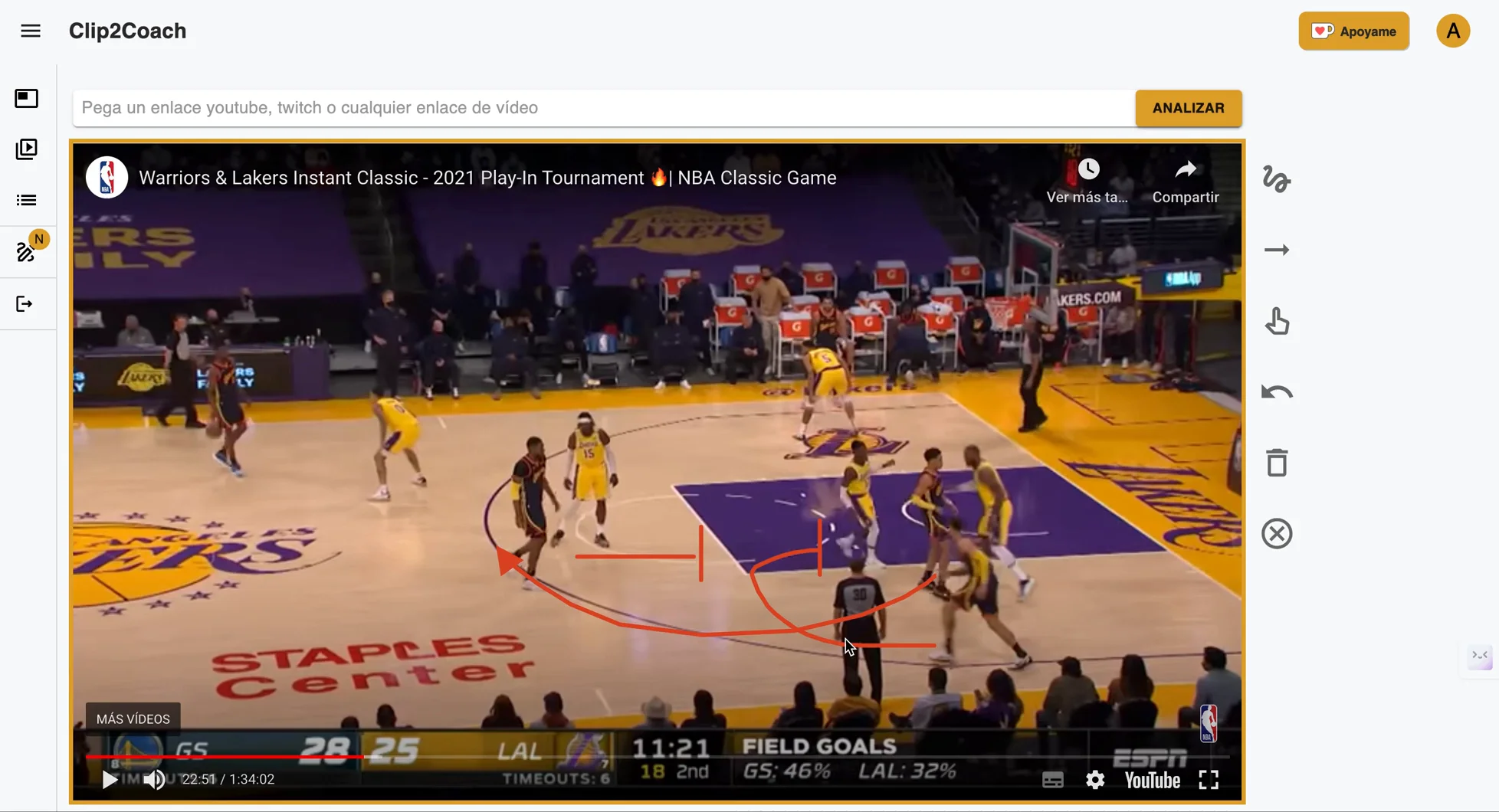
Telestration software lets you draw directly on video frames: arrows showing movement direction, circles highlighting a player, lines marking zones, or text annotations explaining a tactical situation. The result is a clip that communicates visually — no need to explain in words what the video shows.
For sports coaches, telestration is the difference between sending a player a raw video clip and sending them a clip with one clear message they can act on.
The Best Free Telestration Software for Coaches in 2026
1. Clip2Coach — Best browser-based telestration (free tier)
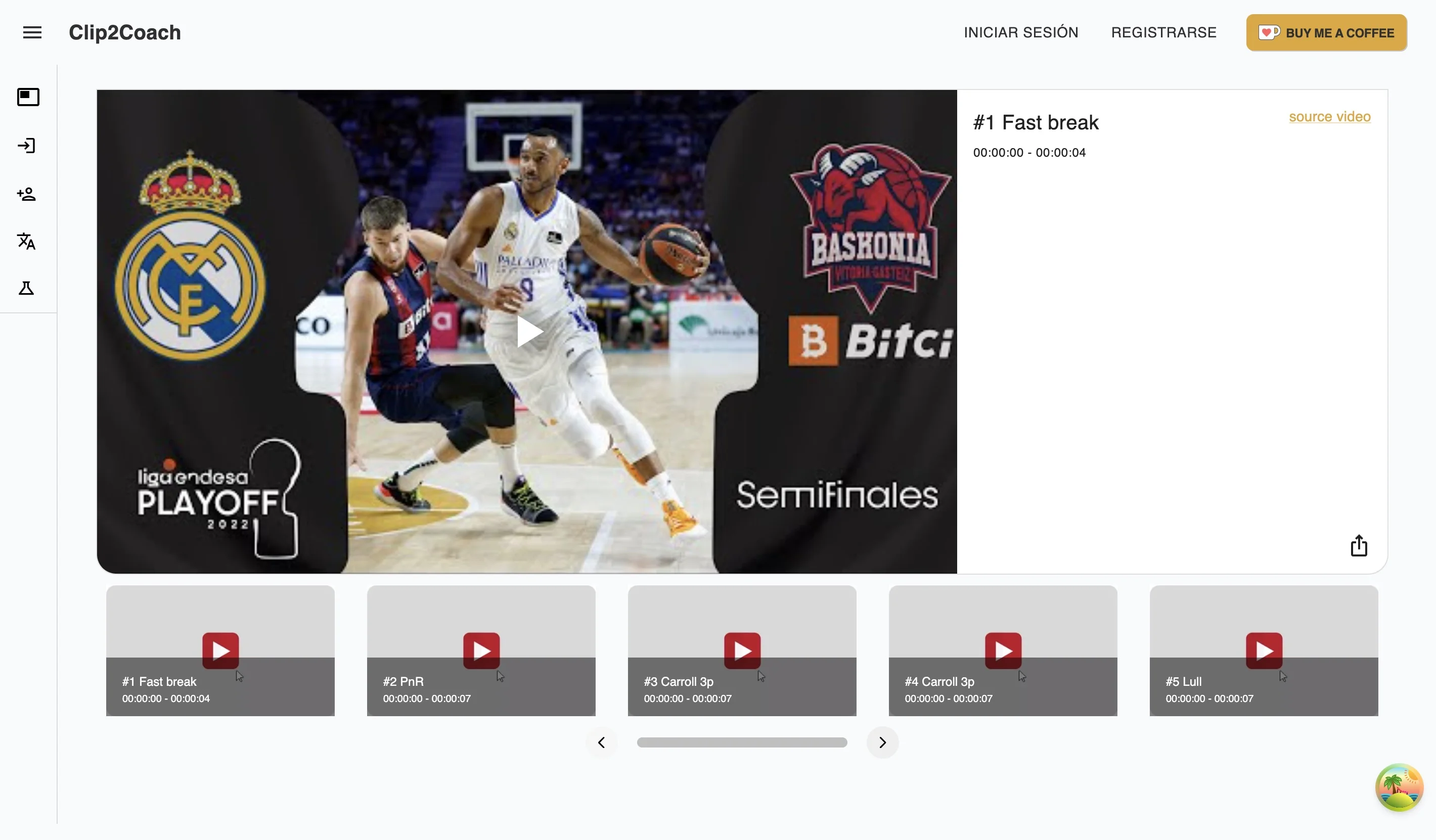
Clip2Coach is a browser-based video analysis platform with a built-in telestrator. It works on Mac, iOS, Android, Chromebook, and Windows — no download or installation required.
Telestration features:
- Draw on any frame of a clip: arrows, lines, circles, rectangles, freehand strokes
- Annotations are saved with the clip and visible to players when you share
- Import video from YouTube, Vimeo, or Twitch — or upload your own footage
- Share annotated clips via WhatsApp or link — players don’t need an account
Free tier: 10 clips/month (plus 20 welcome credits at signup). No subscription — additional credits available as pay-as-you-go packs if you need more.
The workflow: paste a YouTube URL → scrub to the key moment → draw your annotations → share the link. From raw video to annotated clip in under 3 minutes.
2. Kinovea — Best free desktop telestration (Windows only)
Kinovea is a free, open-source video analysis tool with telestration capabilities: you can draw angles, trajectories, and annotations on video frames. It’s particularly strong for biomechanical analysis — measuring joint angles, tracking movement paths, and comparing frames side-by-side.
The limitation: Windows only. No Mac, iOS, Android, or browser version. If your coaching setup is Mac or mobile-based, Kinovea is not an option.
Best for: individual technique analysis in athletics, swimming, gymnastics, or any sport where precise movement measurement matters.
3. Coach Logic — Team telestration (paid, free trial)
Coach Logic includes drawing and annotation tools within its team video platform. Supports iOS, Android, and web. Requires uploading your own recorded footage — no YouTube import.
- From £385/team/year (Starter plan), with a free trial
- Better workflow match for clubs that self-record matches
- Players receive and can interact with clips via the app
4. Hudl — Professional telestration (paid)
Hudl includes a telestrator as part of its team platform. Well-executed, but priced for professional use ($400–$1,600/team/year). Not practical for amateur coaches who just want to draw on a clip.
5. VLC Media Player (manual workaround)
VLC is free but has no proper telestration. You can add static text overlays but not draw on frames interactively. Not recommended as a coaching tool — it’s a media player, not a coaching platform.
Feature Comparison
| Tool | Price | Works on | Online video | Draw on video | Share clips |
|---|---|---|---|---|---|
| Clip2Coach | Free (10/mo) + pay-as-you-go | Any browser | ✓ | ✓ | Via link |
| Kinovea | Free | Windows only | — | ✓ | Export file |
| Coach Logic | £385+/team/year | Web / iOS / Android | — | ✓ | ✓ |
| Hudl | $400–$1,600/team/year | Web / App | — | ✓ | ✓ |
Which telestration tool is right for you?
- You want free, works on Mac/iPad/Android, and imports YouTube → Clip2Coach
- You’re on Windows and need precise biomechanical measurement → Kinovea
- Your club self-records matches and wants a team-level platform → Coach Logic (from £385/year)
- Your league or institution is already on Hudl → Hudl (expensive but integrated)
How to use telestration effectively
Keep annotations simple
A single arrow pointing to the right player communicates faster than five arrows competing for attention. One annotation per clip is often enough.
Use color intentionally
If your tool supports multiple colors, use them consistently: one color for your team, another for the opponent. Coaches who vary colors randomly make clips harder to read.
Annotate before sharing, not live
Live telestration during a meeting works for large screens. For clips shared via WhatsApp or email, annotate beforehand so the message is embedded in the clip itself — players can review it on their own time.
Pair annotation with a short text message
A 15-word caption explaining what players should notice makes an annotated clip twice as effective. The video shows the situation; the text tells them what to look for.
FAQ
What is telestration software? Telestration software lets you draw annotations — arrows, circles, lines, text — directly on video. Originally used by broadcasters, it’s now a standard tool in sports coaching for communicating tactical situations to players.
Is there free telestration software that works on Mac? Yes. Clip2Coach runs entirely in the browser — Safari, Chrome, or any modern browser on Mac. It includes drawing and annotation tools with a free tier of 10 clips/month. Kinovea is also free but Windows-only.
Can I use telestration software on iPad? Clip2Coach works on iPad via any browser — no app download needed. You can draw on frames using touch or Apple Pencil and share the annotated clip directly from your iPad.
What’s the difference between telestration and video annotation? The terms are often used interchangeably in coaching. Telestration specifically refers to drawing on live or paused video (from the broadcast tradition). Video annotation is a broader term that includes drawings, text labels, bookmarks, and comments attached to video content.
Does Clip2Coach save my annotations? Yes. Annotations are saved with the clip in the cloud and visible every time someone opens the shared link. You don’t need to re-draw them.
Start today by visiting Clip2Coach and discover how you can transform your coaching through free and accessible sports video analysis.